
Creating a sub plan template is one of those little tasks that takes less than 30 minutes in the summer and saves you hours of stress during the school year.
Teacher bestie, we’ve all been there. It’s 6:00 a.m and you wake up with a terrible sore throat. You can barely keep your eyes open, and somehow you’re supposed to write sub plans that make sense to someone who has never stepped foot in your classroom. Um, no thank you.
That’s exactly why I set up my sub plan template before the school year even starts. This simple system makes creating sub plans so much easier when I actually need them.
Welcome to my Summer Series, where I’m sharing quick, actionable tasks you can tackle now to make your school year run a little smoother.
The Idea Behind a Sub Plan Template
I know what you’re thinking. “Hello? It’s summer.” Trust me, I get it. The last thing most teachers want to do in July is think about being absent from school. The good news is that this isn’t creating an entire week of emergency plans. You’re simply creating a skeleton.
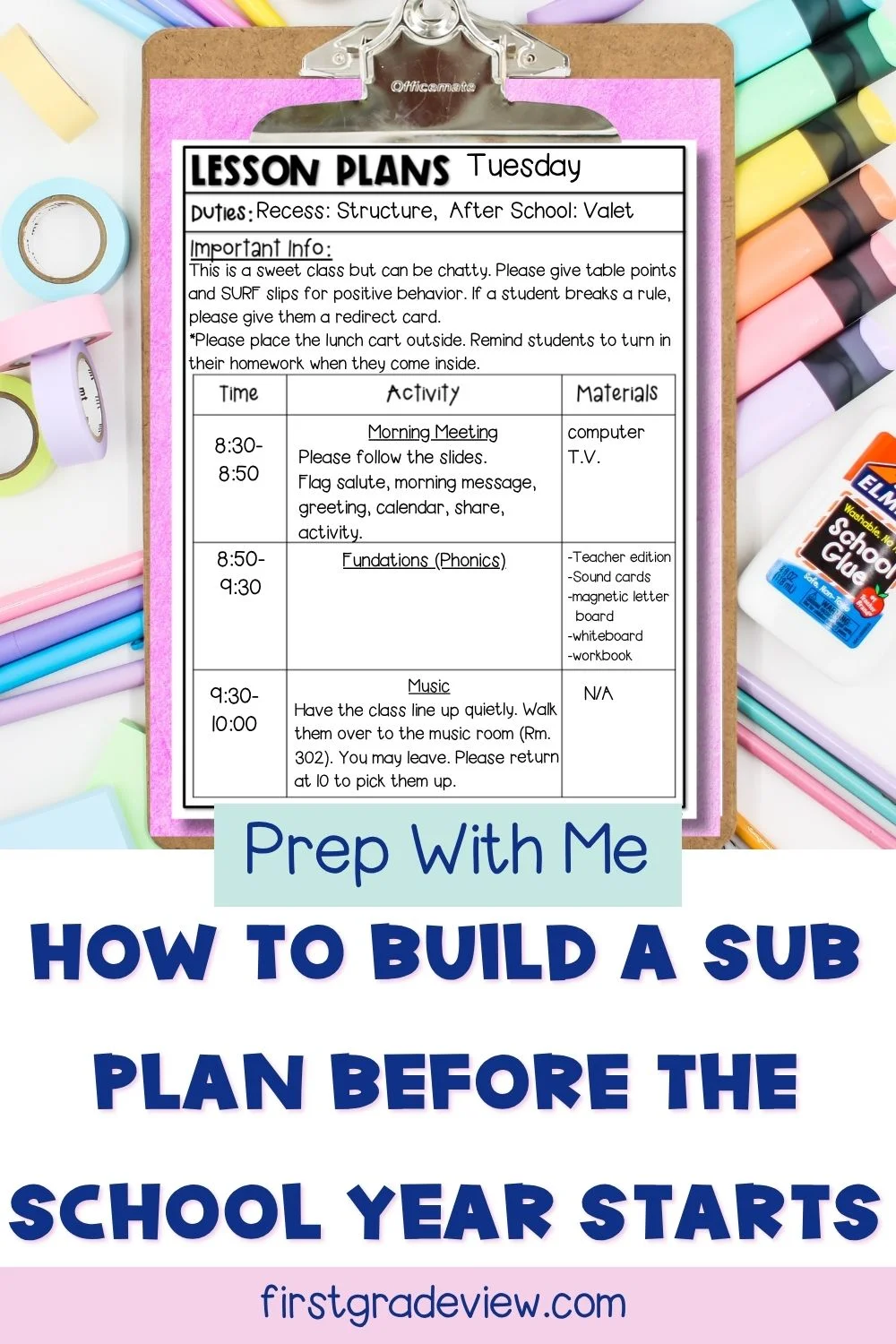
Think of it as a fill-in-the-blank version of your sub plans. The structure is already there. You just add the specific lessons when you need them. My recommendation is to create one template for each day of the week based on your schedule. Monday’s template will look different from Wednesday’s if your specials schedule changes. Once those templates are finished, you never have to start from scratch again. Future you will be very grateful.

What Goes Into the Sub Plan Template?
When creating a sub plan template, I think of everything in two categories:
Fill In Now
These are the parts of your day that rarely change:
- Arrival routines
- Dismissal routines
- Specials schedule
- Morning meeting routines
- Math warm-up directions
- Classroom jobs
- Duties
- Any procedures you use consistently

Fill In Later
These are the pieces that change each week:
- Math lesson
- Language arts lesson
- Small groups
- Science or social studies activities
- Any assignments connected to current learning
One thing I highly recommend is adding notes that make life easier for your substitute.
For example:
- Where materials are located
- How students turn in work
- Attention signals you use
- Helpful classroom management tips
A few extra notes can make a huge difference for someone walking into your room for the first time.
How I Set Up My Sub Plan Templates
My school uses Google, so I create my templates in Google Slides. I make one slide deck for each day of the week and save them in a folder called “Sub Plans.” When I need plans, I simply:
- Open the correct day.
- Make a copy.
- Fill in the lesson-specific sections.
Done. What I love about this system is that everything is already organized. The headers are clear. The layout is easy to skim. Most importantly, it helps a substitute quickly understand what needs to happen throughout the day.

Want to Take It One Step Further?
If you have a little extra time this summer, consider creating a sub binder as well. Even if you don’t have your class roster yet, there are still several pieces you can prepare now. Some things you might include are:
- Emergency procedures
- School maps
- Classroom procedures
- Behavior expectations
- Transportation information
- Seating chart templates
Then, once class lists are released, you can quickly add the missing pieces. A little work now can save a lot of stress later. If you’d rather not build one from scratch, my editable sub binder has everything laid out for you. All you have to do is fill in your classroom information.

Your Summer Prep Challenge
This week’s challenge is simple: Set a timer for 30 minutes and create your sub plan template. That’s it. You don’t need to finish an entire sub binder. You don’t need to write emergency plans. Just create the framework.
When that inevitable sick day happens, you’ll be so glad you did. Teacher bestie, this is one of those tasks that isn’t exciting in July but feels like a gift to yourself in October.
You May Also Like:
The Ultimate Substitute Binder
Substitute Teacher Plans Made Easy: 5 Simple Tips
3 Classroom Systems That Work (and Make Teacher Life Easier)


